

Introduction
Whether you are a casual user or a professional, there are many situations where you need to edit, convert, merge, split, or compress PDF files. Most people either rely on paid software or online PDF tools—both of which come with certain drawbacks such as cost, file size limits, or data privacy concerns. A free PDF tool is an absolute requirement.
PDF Gear offers a strong alternative. It is a free PDF tool that covers most everyday PDF needs. While it may introduce paid plans for advanced features in the future, all commonly used functions—such as editing, merging, splitting, and converting PDFs to and from Word or images—are currently available at no cost.
Is PDF Gear Safe to Use?
Yes, PDF Gear is safe, especially when downloaded from its official website.
One of its biggest advantages is that it processes files locally on your system, avoiding the need to upload sensitive documents to online servers. This makes it a great choice for users who care about data privacy and security.
Key Features of PDFGear
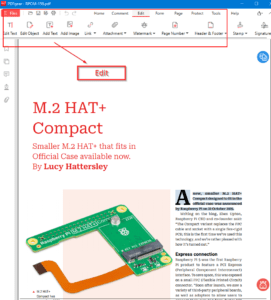
1. PDF Editing
PDF Gear allows you to edit PDFs freely. You can modify:
- Text
- Images
- Shapes
- Signatures
This makes it suitable for both personal and professional use.
2. PDF Annotation
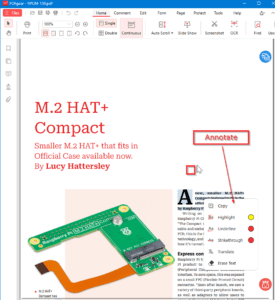
You can easily:
- Highlight text
- Underline or strikethrough content
- Add notes and comments
This is one of the most useful features, especially for reviewing documents, and is commonly used by many users.
3. PDF Conversion
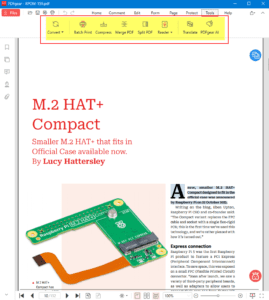
PDF Gear supports conversion between multiple formats, including:
- PDF to Word
- PDF to Excel
- PDF to PowerPoint
- PDF to JPG
- Word, Image, or Text to PDF
This is one of the most frequently used features and works smoothly for everyday tasks.
4. OCR (Optical Character Recognition)
The OCR feature allows you to extract text from scanned PDFs or images and convert them into fully editable documents such as Word or text files.
5. Compress, Merge, and Split PDFs
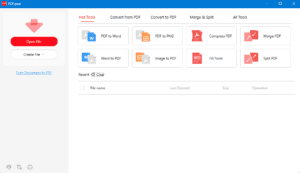
With PDF Gear, you can:
- Merge multiple PDF files into one
- Split a PDF into multiple files
- Compress PDFs to reduce file size without major quality loss
Concluding Remarks
PDF Gear is a powerful, free PDF tool that covers almost all essential PDF operations without compromising on safety or usability. Its offline processing, clean interface, and wide feature set make it an excellent choice for students, professionals, and casual users alike.
If you’re looking for a reliable and free PDF solution, PDF Gear is definitely worth trying. You can download for its official site – https://www.pdfgear.com/
Note: This is an independent review and not a promotional article. All opinions expressed are based solely on my personal experience and are not influenced by any individual, organization, or entity.