

Automation testing is evolving rapidly with AI-powered tools. One of the most powerful additions is Playwright Agents, which helps testers generate, execute, and heal automated tests with minimal coding.
In this guide, we’ll walk through the complete setup of Playwright Agents in VS Code, along with how to use planner, generator, and healer modes effectively.
Software Requirements
Before you begin, ensure the following tools are installed:
- VS Code version 1.105 or above
- Node.js installed
- Playwright extension
Step-by-Step: Setup VS Code Environment
Follow these steps carefully:
Install Required Software
- Install or update VS Code
- Install or update Playwright NuGet package
- Install Node.js (if not already installed)
Initialize Playwright Project
Open terminal in VS Code and run:
npm init playwright@latest
This will create a fresh Playwright project with all required dependencies.
Playwright Agent Setup
Run the following command:
npx playwright init-agents --loop=vscode
After executing:
✔ Restart VS Code
✔ Open any project folder
You are now ready to use Playwright Agents
Verify Setup
- Open the Chat window in VS Code
- Select Planner Agent Mode
- Type the following:
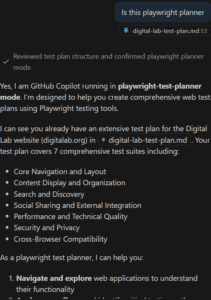
Is this playwright planner
If you receive the correct confirmation message as shown below, your setup is successful and ready to use.
How Playwright Agents Work
Playwright Agents automate testing in 3 intelligent steps:
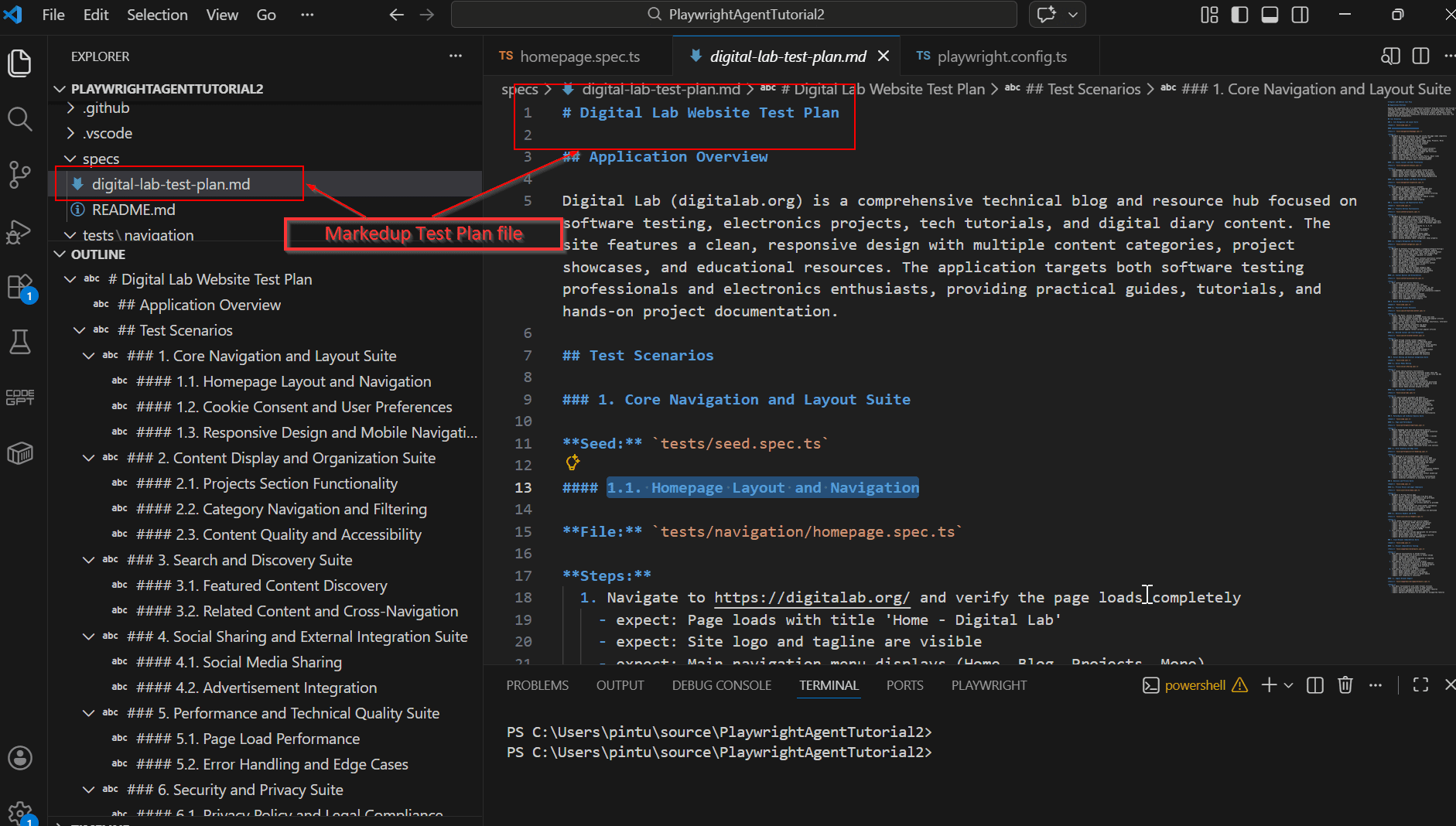
Planner
- Explores your application
- Generates a Markdown test plan
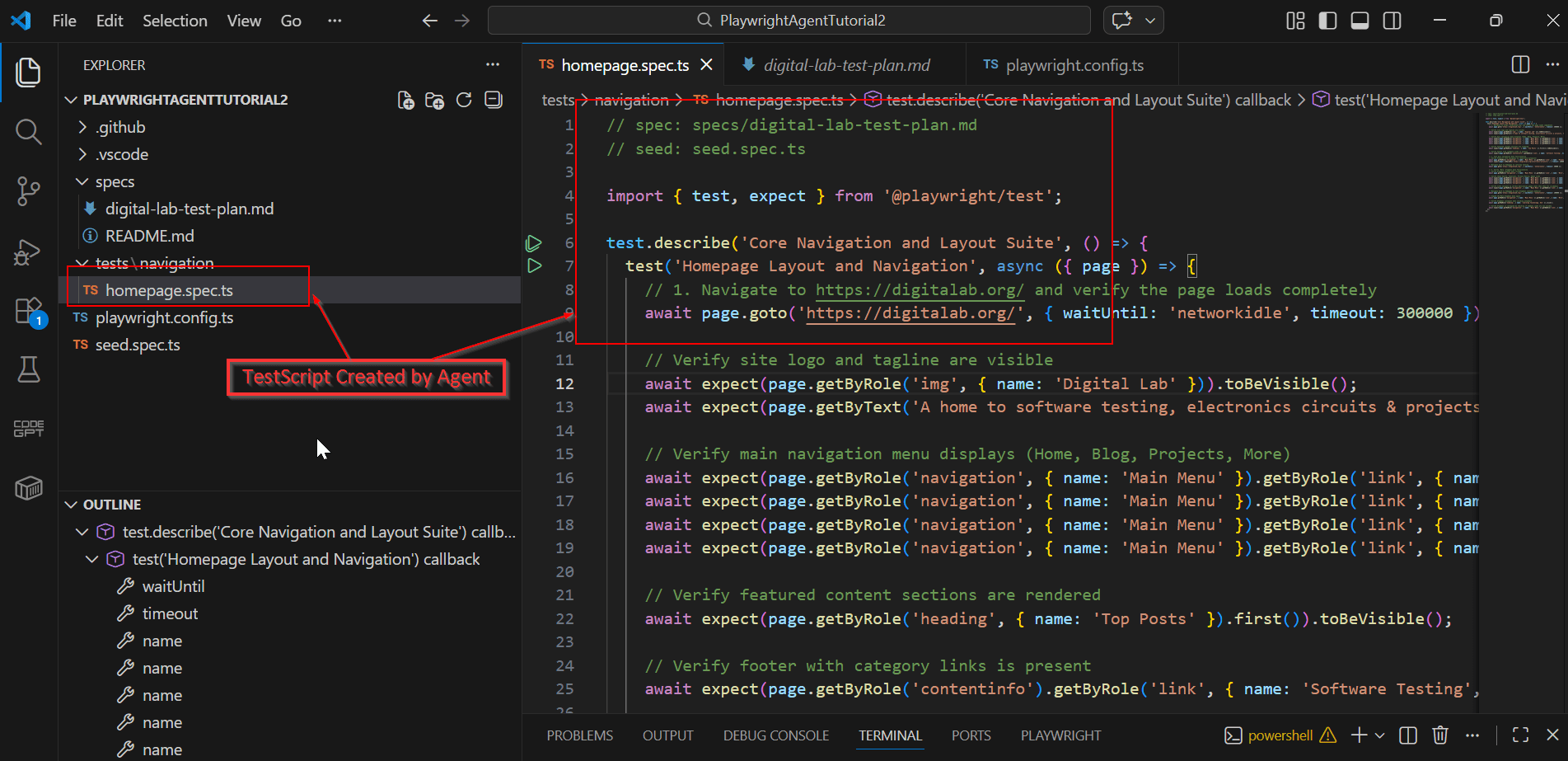
Generator
- Converts Markdown plan into Playwright test scripts
Healer
- Executes test suite
- Automatically fixes failing tests using AI
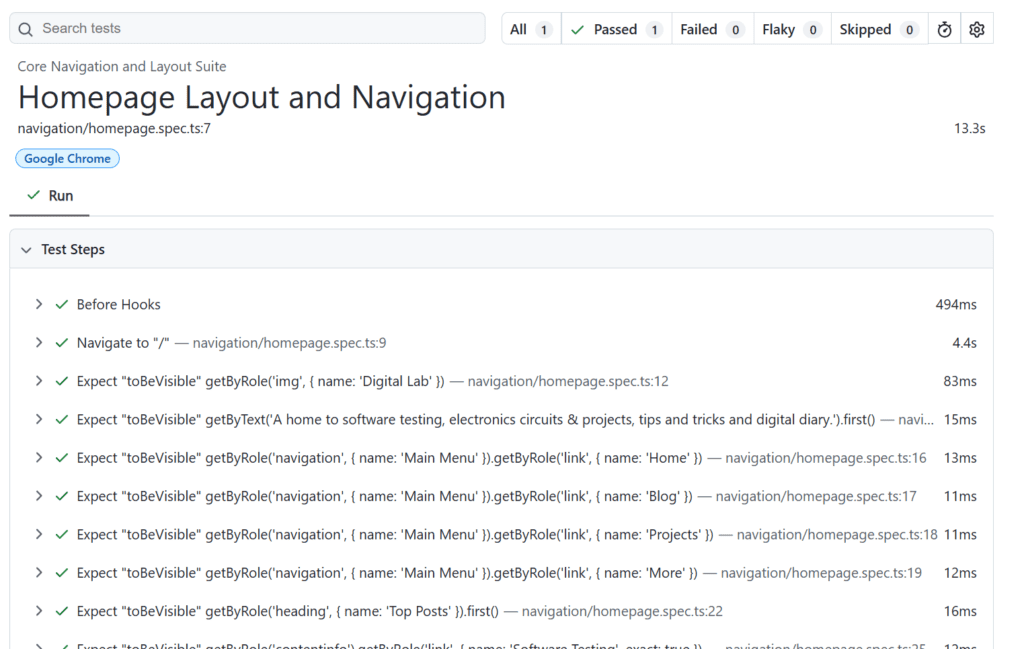
Sample Report
To get the execution report you can use the below command.
npx playwright show-report
Sample Prompts to Use
You can use prompts like:
- “Generate test plan for login page”
- “Create Playwright test for checkout flow”
- “Heal failing tests for payment module”
👉 For detailed demo and examples, watch the YouTube video below.
Pros of Playwright Agents
✔ Low-code automation
✔ AI-based self-healing tests
✔ Ideal for regression and repetitive testing
✔ Faster execution using Playwright engine
✔ Great for manual testers entering automation
✔ High cross-browser compatibility
✔ Easy CI/CD integration
Cons of Playwright Agents
✖ Complex scenarios may still require coding
✖ AI may misinterpret intent sometimes
✖ Requires initial setup and learning
✖ Some tests need manual validation
✖ Dependent on AI engine updates
✖ Not ideal for highly customized frameworks
Conclusion
Playwright Agents is a game-changing tool for QA engineers looking to scale automation quickly with AI support.
If you’re a manual tester transitioning into automation, this tool can significantly speed up your journey