

What is an ESP32?
The ESP32 is a series of chip microcontrollers developed by Espressif. It is a low cost which makes it easily accessible to the general public. The ESP32 consumes very little power compared with other microcontrollers, and it supports low-power mode states like deep sleep to save power. It supports Wifi and Bluetooth. It also supports Bluetooth low power(BLE) which makes it versatile and highly useful for IOT applications.
ESP32 Specifications
If you want to get a bit more technical and specific, you can take a look at the following detailed specifications of the ESP32 (source: https://www.espressif.com/en/products/socs/esp32)—for more details, check the datasheet):
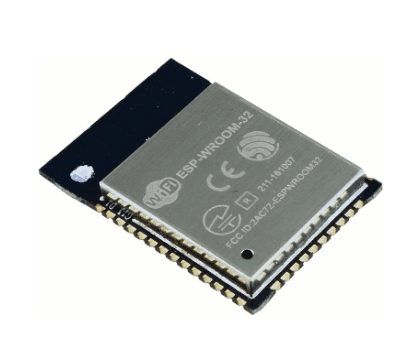
ESP32 module: ESP-WROOM-32
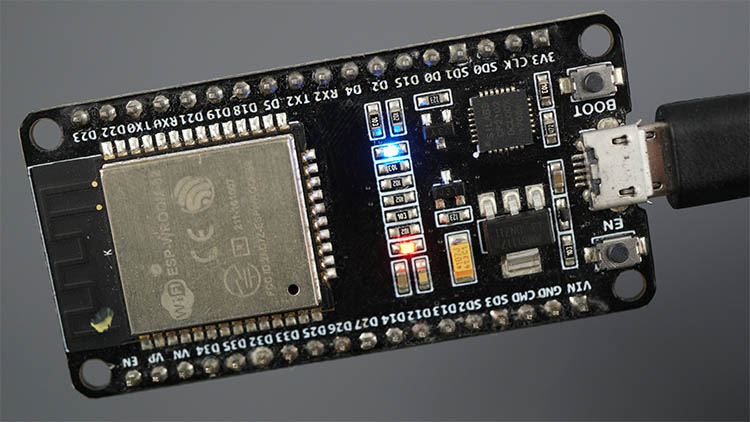
Depending on the dev module, some features may vary. But most of them will have following specification with some variations.
|
Number of Cores |
2 (dual core) |
|
Wi-Fi |
2.4 GHz up to 150 Mbits/s |
|
Bluetooth |
BLE (Bluetooth Low Energy) and legacy Bluetooth |
|
Architecture |
32 Bit |
|
Clock frequency |
Up to 240 MHz |
|
RAM |
512 |
|
Pins |
30, 36, or 38 (depending on the model) |
|
Built-in buttons |
RESET and BOOT buttons |
|
USB to UART bridge |
CP2102 |
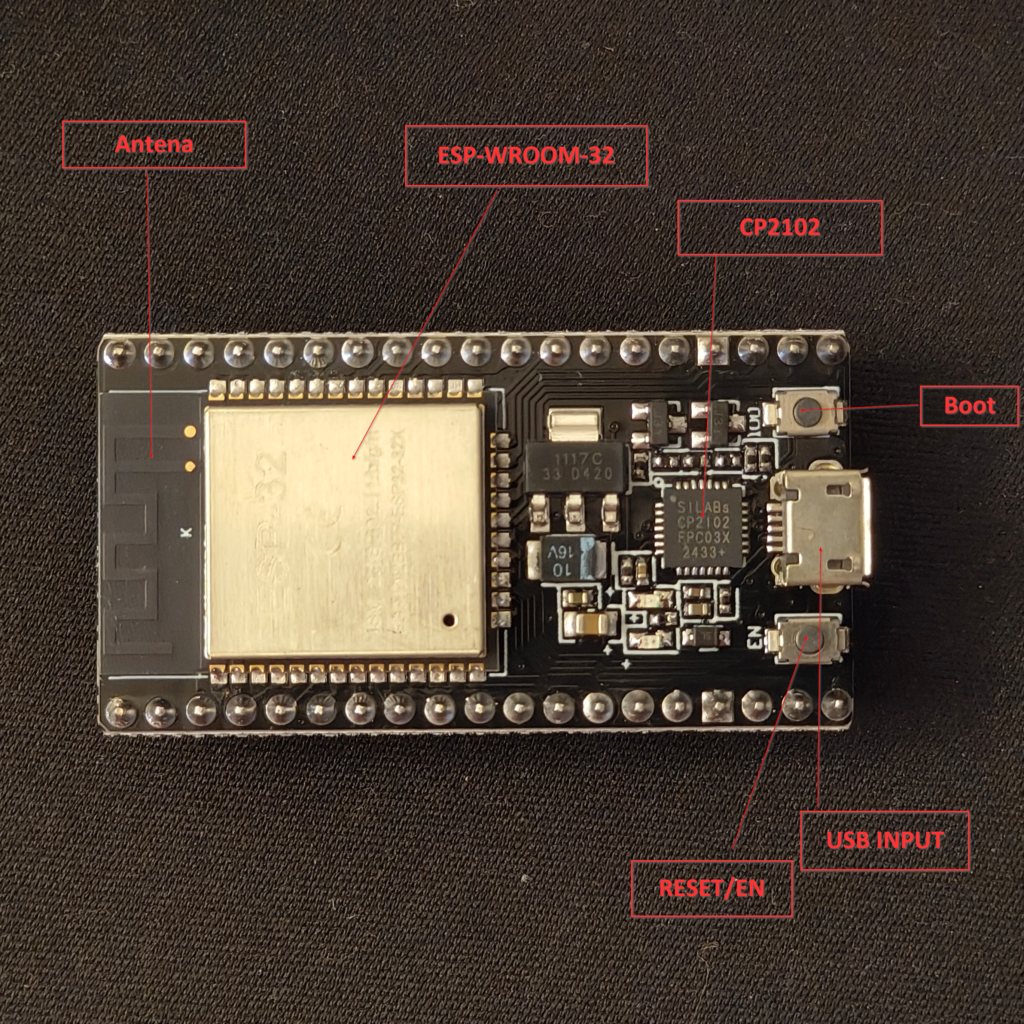
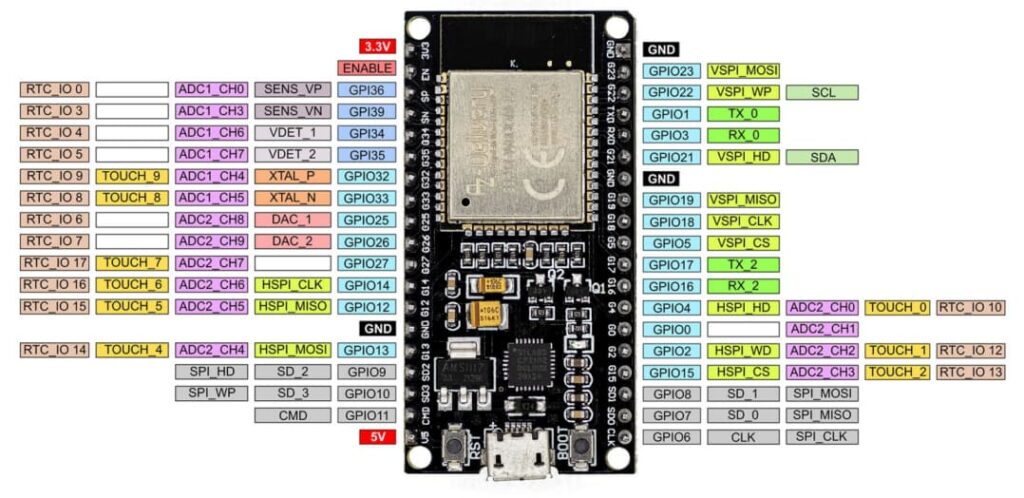
ESP32 GPIOs Pinout Guide
How to Program the ESP32?
The ESP32 can be programmed using different firmware and programming languages. You can use:
- Arduino C/C++ using the Arduino core for the ESP32
- Espressif IDF (IoT Development Framework)
- Micropython
- …
- …
We will be using Arduino C/C++ to program for ESP32.
Installing the ESP32 in Arduino IDE
To install the ESP32 board in your Arduino IDE, follow these next instructions:
- In your Arduino IDE 2, go to File > Preferences.
- Copy and paste the following line to the Additional Boards Manager URLs field. https://espressif.github.io/arduino-esp32/package_esp32_index.json
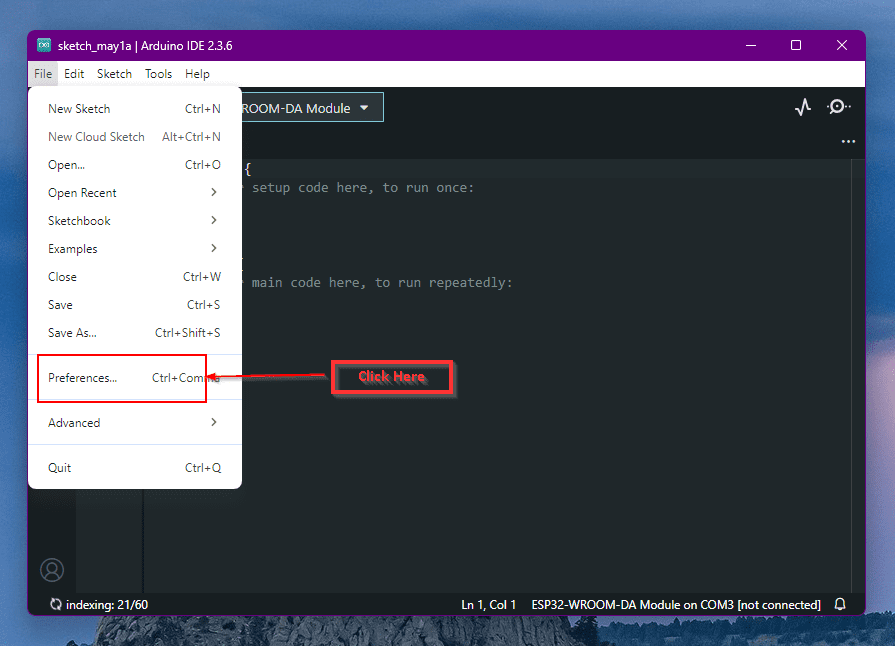
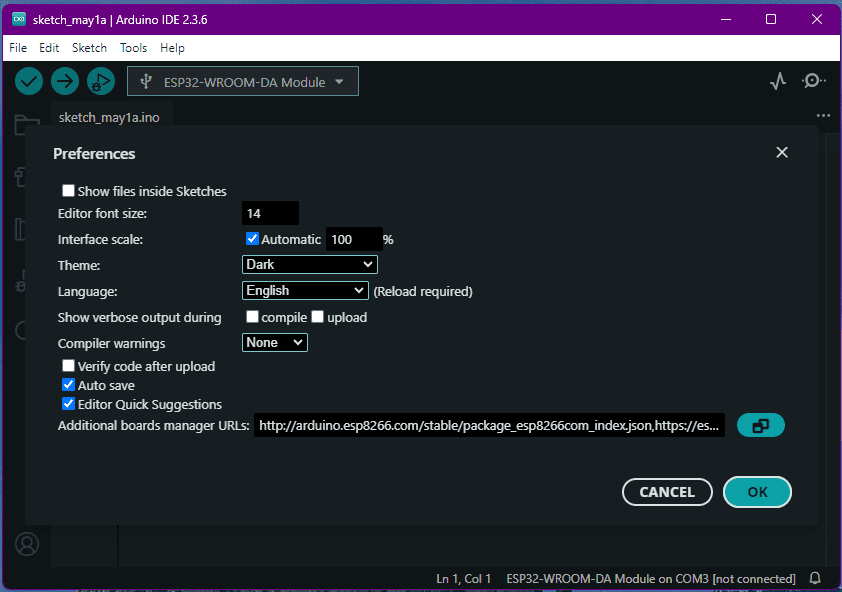
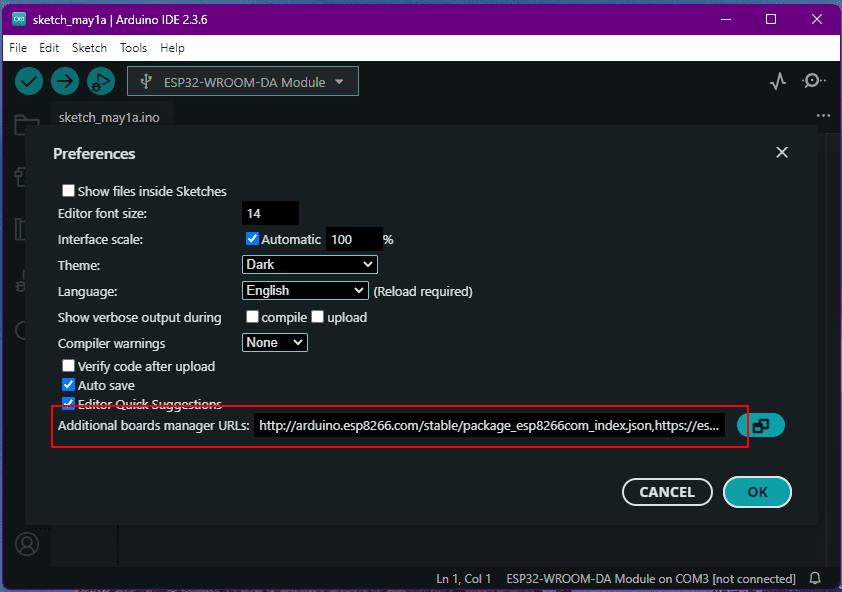
- Open the Boards Manager. You can go to Tools > Board > Boards Manager… or you can simply click the Boards Manager icon in the left-side corner.
- Search for ESP32 and press the install button for esp32 by Espressif Systems version 3.X.
Next post we are going to see how we can use ESP32 to connect to wifi and extract time and display in 4 digit TM1637 display.