

In this post we will Learn how to build a real-time ESP32 digital clock using a TM1637 4-digit display and NTP time sync. This tutorial covers complete wiring, Arduino code, WiFi setup, and troubleshooting common issues like ESP32 reset and display not working.
This is in continuation to my previous post of Getting started with ESP32 board. Here we will see how to use ESP32 board to display current time on TM1637. In the other post we have already seen how to set Arduino to use ESP32 dev board so will not cover it again.
Parts required
For this project we need following parts
- ESP32 dev board ( I am using 38pin model)
- TM1637 display module
- Connecting wires
- Arduino software to write the program and publish.
- Breadboard (optional and depends on type of connecting wires).
What is TM1637?
TM1537 is a 4 digit LED 7-Segment display module that combines 4 7-segment digits on a single display than can be controlled using the TM1637 driver. The module that we will be using has a colon separator between 2 & 3 rd digits.
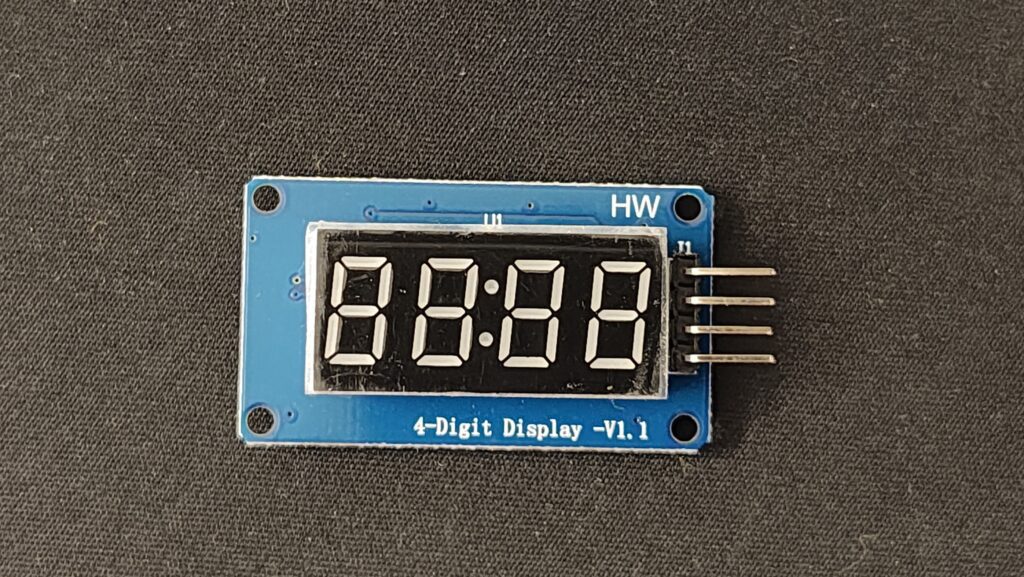
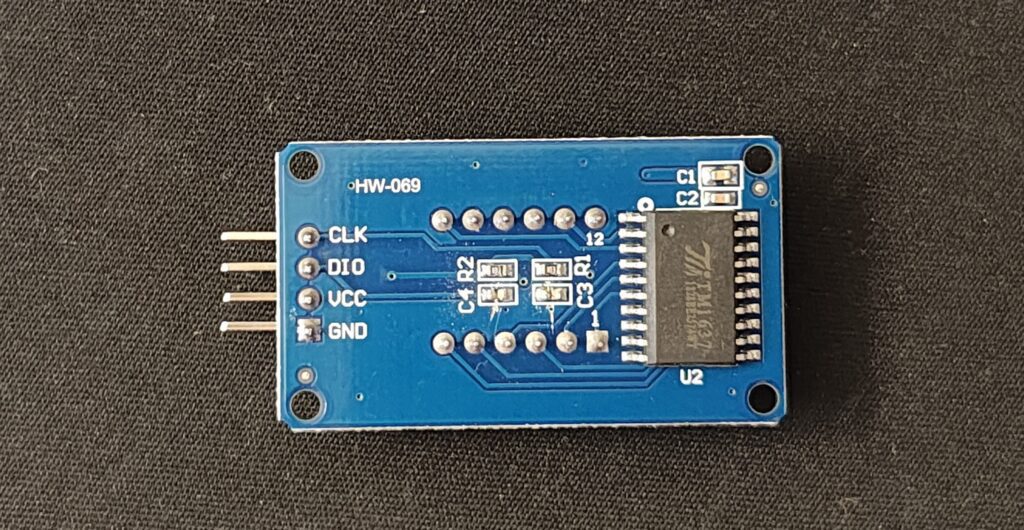
Wiring TM1637 4-digit 7-Segment Display to the ESP32
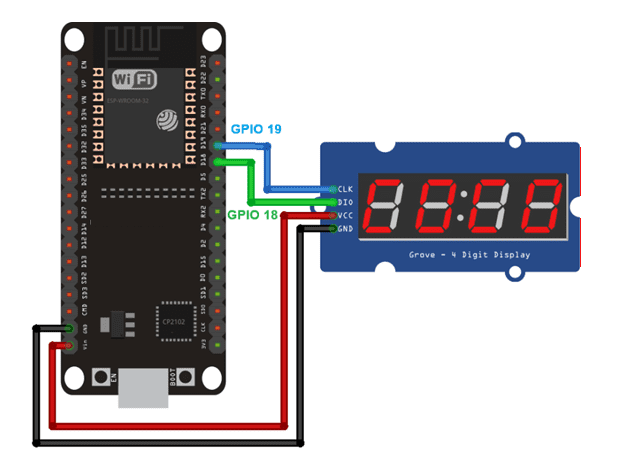
Wiring the display to the ESP32 is quite simple, as it only requires two digital pins: CLK and DI/O.
| TM1637 Display | ESP32 |
|---|---|
| CLK | Any digital pin(eg. 19, 4 etc) |
| DIO | Any digital pin(eg. 18, 5 etc) |
| VCC | VIN (5v or 3.3v) |
| GND | GND |
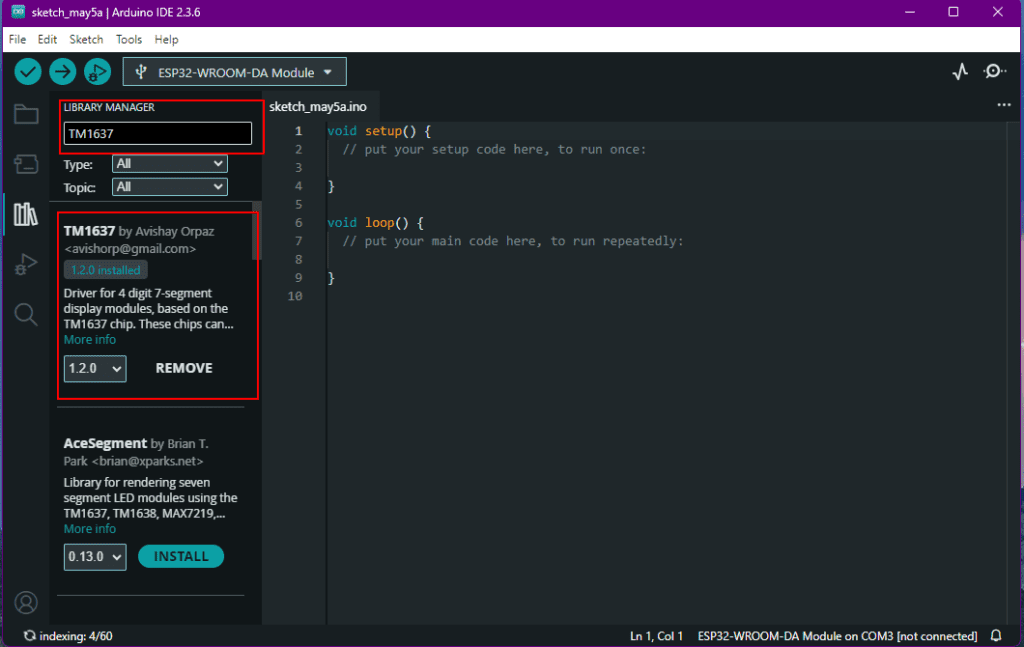
Installing the TM1637 Library
You can install the library via the Arduino IDE library Manager. Search for TM1637 and install the library by avishorp. There are many different libraries apart for this but in our example we will be using this.
Program Code
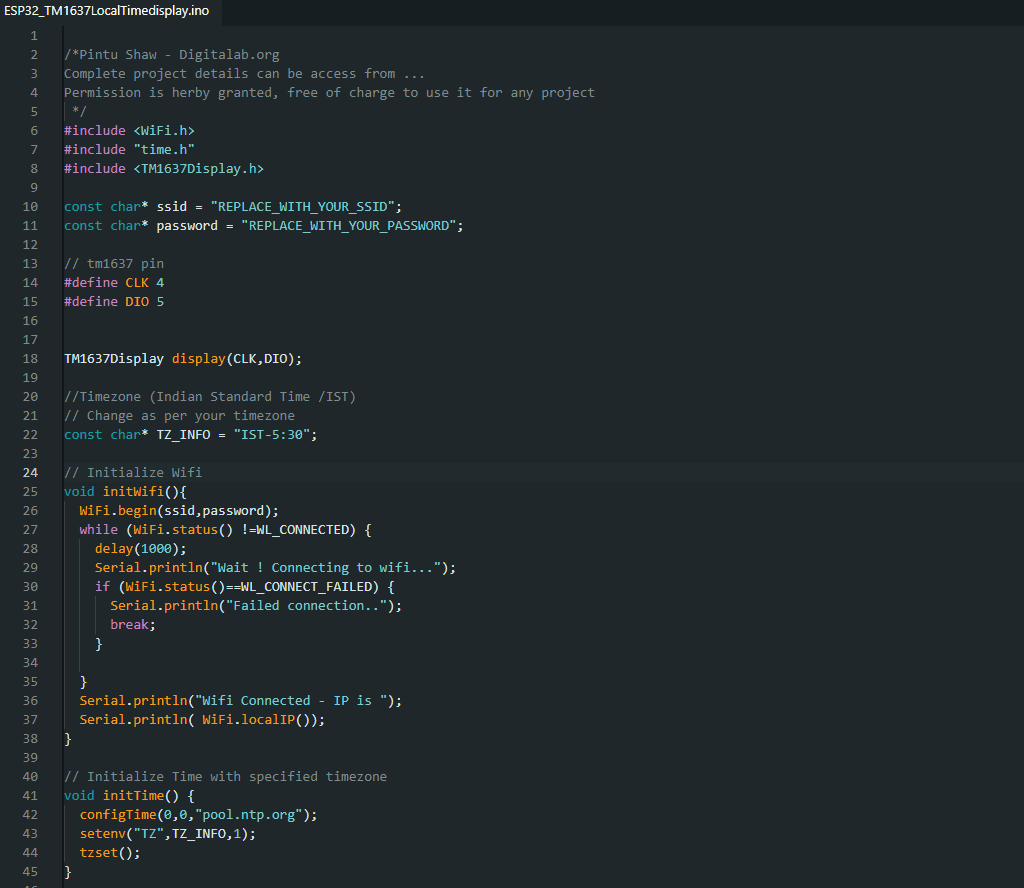
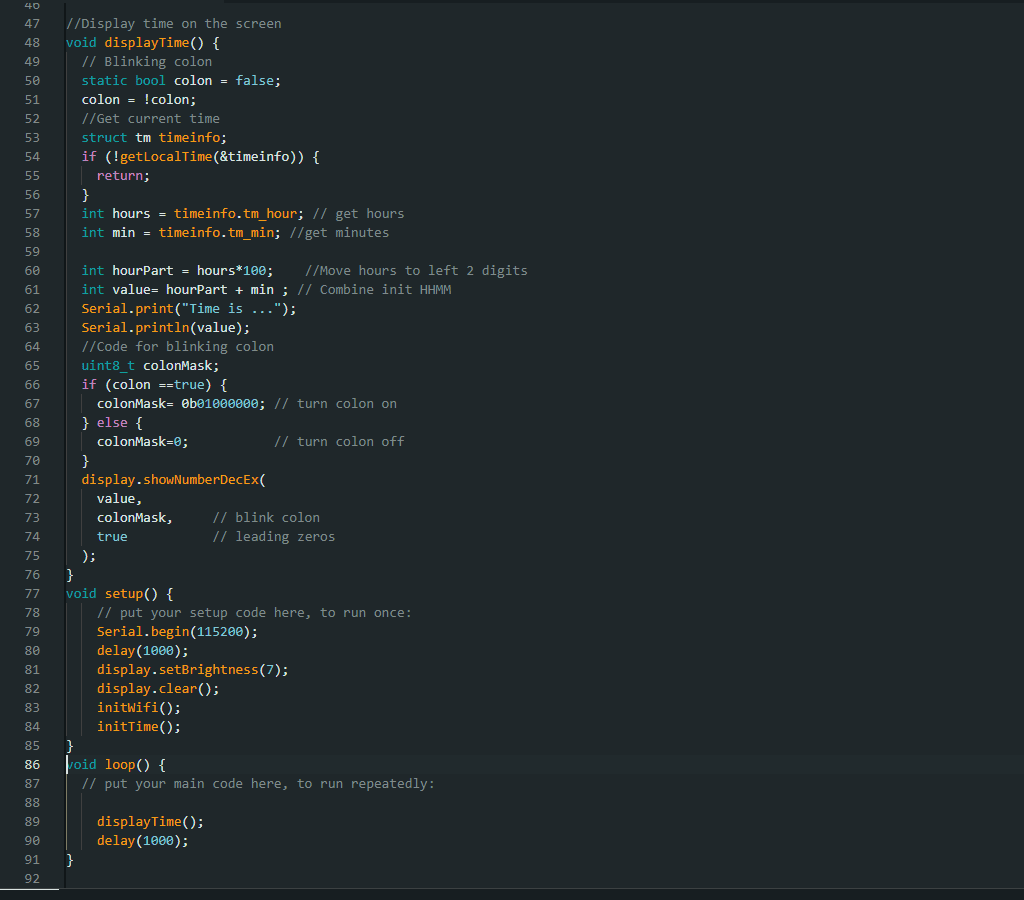
You can also download the program code from my github repo the link for which is given below.
https://github.com/pintushaw/ESP32Samples/tree/main
Demonstration
After updating your network ssid and password, timezone details you can compile and upload the code to ESP32. It should start displaying the current time.
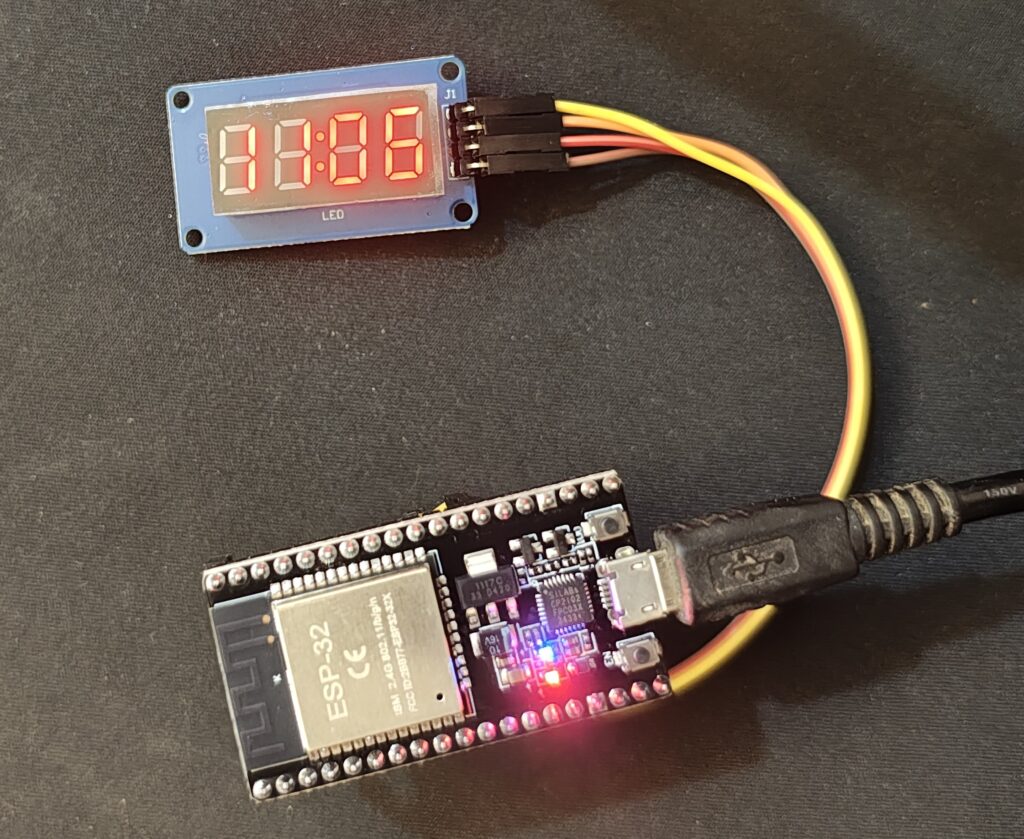
For more detail step by step details watch my youtube video below.
Errors and Debugging
There are chances that you may get error while compiling, publishing or after publishing the code.
- Try to double check the wiring. Possible mistake in GPIO pins connections.
- Sometime cheap TM1637 comes faulty. Check by replacing with new ones.
- 5v sometime conflicts with ESP32 signal. Try changing to 3.3v.
Let me know how it goes for you and if you have any issues/errors.